
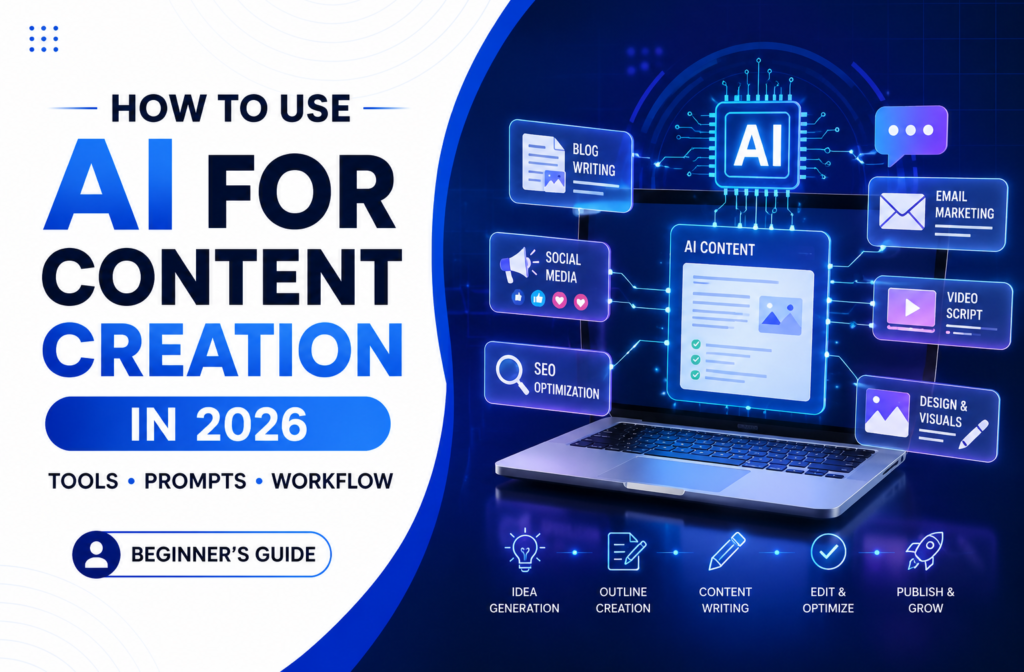
A few years ago, creating content meant hours of research, writing, editing, designing graphics, and promoting — all done manually. Today that’s changed completely, and honestly, I didn’t expect it to change this fast.
Whether you’re a blogger, a digital marketer, or someone just starting a small business page, using AI for content creation has quietly become less of a “nice to have” and more of a basic skill, the same way knowing how to use a search engine became basic twenty years ago. But here’s what a lot of people still get wrong about it: AI isn’t replacing content creators, it’s just removing the friction that used to slow them down.
The creators getting the best results in 2026 aren’t the ones letting AI do everything for them. They’re the ones combining AI’s speed with their own experience, judgment, and voice, and they know exactly where one ends and the other begins. That’s really what this guide is about — what AI content creation actually means in practice, which tools are genuinely worth your time, a workflow you can realistically stick to, and prompts you can copy right now without overthinking them.
If you’re new to AI for Content Creation, don’t worry. The goal isn’t to automate everything. The goal is to use AI strategically to create better content faster while keeping your unique voice intact.
What Is AI for Content Creation?
AI for Content Creation is the process of using artificial intelligence tools to help generate ideas, write content, create visuals, optimize SEO, and repurpose content across multiple platforms. It helps creators save time while improving productivity and consistency.
What Does “AI for Content Creation” Actually Mean?
I want to clear this up first, because the phrase gets thrown around loosely. AI for content creation simply means using AI tools to help at any stage of making content — generating ideas, drafting text, designing visuals, improving your writing, or turning one piece into five different formats. The key word there is help, not replace, and definitely not “automate completely,” which is where most beginners go wrong.
Think of AI like a very fast intern who’s read practically everything but has zero real experience in your specific niche. Give it vague instructions and you’ll get vague output back. Give it a clear brief instead — who the audience is, what tone you want, what the goal is, what format you need — and the output becomes something you can actually work with. That distinction, more than any specific tool or trick, is the entire skill this guide is trying to teach.
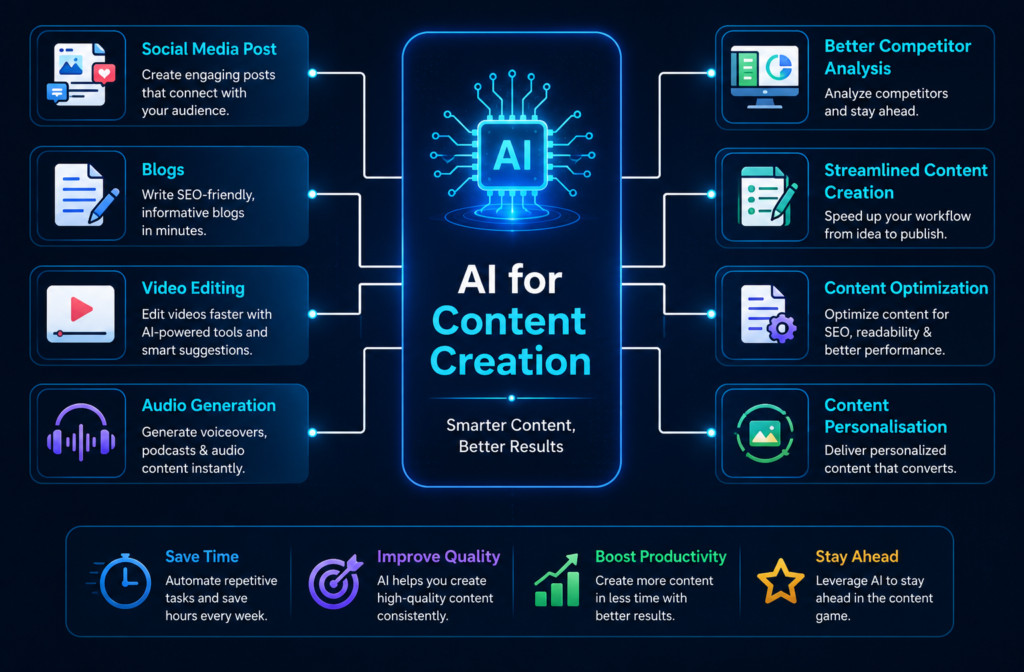
A lot of beginners assume the end goal is letting AI write everything start to finish, and that’s usually exactly where the disappointment kicks in. When you guide the process and AI just executes, the result actually sounds like your brand and tends to be more accurate, because you’re the one fact-checking it. When AI handles everything unsupervised, you get something generic that performs worse with both readers and Google, and you usually end up reworking it anyway — so you didn’t really save the time you thought you would. The strongest creators in 2026 have figured this out: they treat AI as a collaborator, not an autopilot they can walk away from.
Why AI Content Creation Has Exploded
Content demand has grown faster than most teams can produce it manually. Businesses today need blog posts, social captions, email campaigns, ad copy, and video scripts, often all in the same week, and doing that entirely by hand just isn’t realistic anymore for most small teams.
A blog outline that used to eat up 45 minutes can now take five — and that’s not an exaggeration, it’s just what happens once you remove the blank-page problem from the equation. Consistency gets easier too. Most creators don’t actually struggle with quality on their good days; they struggle with showing up at all on the bad ones, and having AI as a starting point closes that gap more than people expect.
Then there’s creative burnout, which is genuinely real for anyone publishing regularly. When you’re out of ideas, AI can hand you fifteen starting points in under a minute — most of which you’ll throw away, but a couple of which are actually worth developing further. And for small businesses or solo creators, hiring a full content team was never realistic to begin with. AI doesn’t replace that team, but it does let one person produce roughly what it used to take three people to manage.
Best AI Tools for Content Creation in 2026
You really don’t need ten different tools running at once. You need the right two or three, used properly. Here’s an honest breakdown, starting with what’s free.
ChatGPT is the most widely used AI tool for content right now, and there’s a reason for that — it’s genuinely strong for blog outlines, captions, email drafts, and idea generation, and the free version is more than enough to follow everything in this guide. You don’t need to pay anything to get started here.
Canva AI is where I’d point anyone who needs visuals but has zero design background. Magic Design and Magic Write let you create social graphics, thumbnails, and blog images without touching anything that feels like Photoshop. If design has always intimidated you a little, this genuinely removes that barrier.
Grammarly might be the single most underrated tool on this list. If you only add one thing to your workflow beyond ChatGPT, make it this — it catches awkward phrasing, grammar slips, and tone issues, including the subtle stiffness that AI-generated drafts almost always carry before they’re edited.
Google Gemini is worth keeping around for research specifically, since it’s connected to live search and gives you current information rather than general knowledge. It’s useful for fact-checking and getting a sense of what’s actually trending right now, not just what was true a year ago.
Beyond those, there are a few paid tools worth knowing even if you don’t need them on day one. Claude tends to write long-form content with a more natural tone than most alternatives, which makes it good for detailed guides. Perplexity is research-focused and shows its sources directly, which speeds up fact-checking considerably. Jasper is built more for marketing teams that need a consistent brand voice across a high volume of content. Surfer SEO looks at what’s already ranking for your target keyword and tells you how to structure your content to actually compete with it.
None of these paid tools are necessary right away — start free, and only upgrade once you hit a real limitation, not because something looks impressive in a demo. If you’re starting from absolute zero, three tools cover everything a beginner genuinely needs: ChatGPT for writing, Canva for design, Grammarly for editing.
A Simple AI Content Workflow That Actually Works
Here’s the mistake almost everyone makes early on — opening ChatGPT, typing “write me a blog post,” and then wondering why the result feels hollow. Professionals, even the ones using AI heavily, rarely work that way. They follow a structure, and here’s one that works well for a single blog post with social assets built in alongside it.
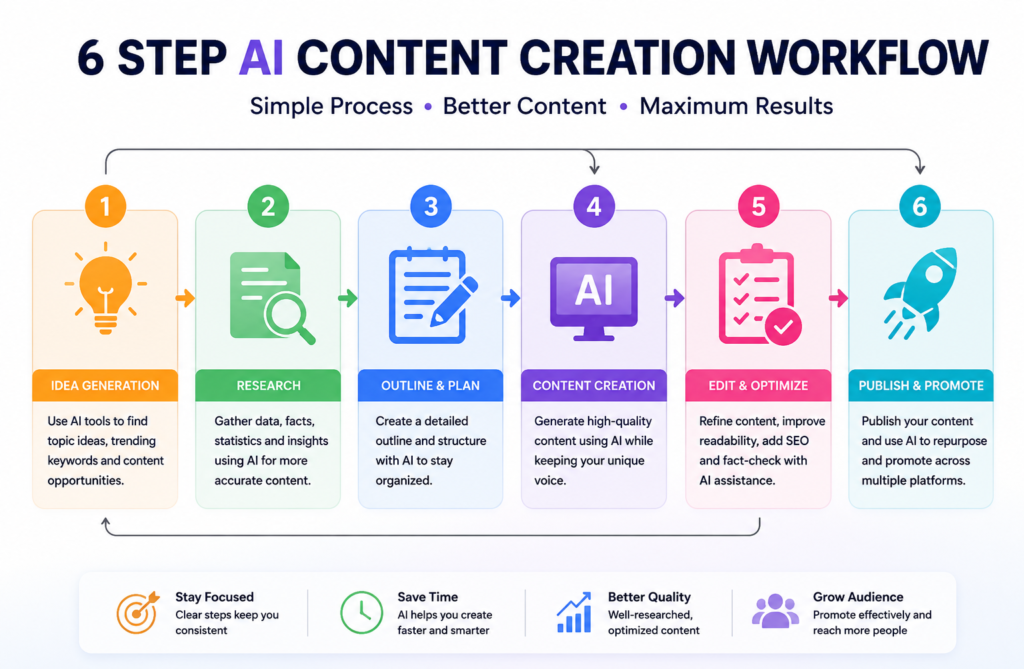
Step 1 — Generate ideas (about 10 minutes). Ask AI for topic ideas within your niche, but be specific about your audience and what actually makes a topic worth pursuing.
Suggest 15 blog topics for [your niche] that beginners frequently
search for.
Prioritise topics where someone with real, practical experience would
have an advantage over a generic AI-written article.
Step 2 — Research and outline (about 20 minutes). Search your topic and skim the top few results, not to copy them but to see what’s actually missing. Then build your outline from there.
You are an experienced SEO content strategist.
Create a detailed blog outline for: "[Your topic]"
Target audience: [describe them]
Include H1, 6 H2 sections, 2-3 H3 points each,
suggested word count per section,
and the keyword focus for each section.
Step 3 — Draft section by section (about 30 minutes). This part matters more than people realize — never ask for the entire article in one shot. Generate one section at a time, review it, add your own input, and only then move to the next.
Write the section titled "[H2 heading]" for a blog about "[topic]."
Target reader: [describe]. Tone: conversational, no filler.
Length: approximately [X] words.
Step 4 — Edit and add your voice (about 20 minutes). Run it through Grammarly, then read it out loud, which catches stiffness that automated tools tend to miss entirely. Add a personal example, an opinion, a specific number — this is the step people skip most often, and honestly it’s the one that matters the most.
Step 5 — Create visuals (about 15 minutes). Open Canva, generate a featured image and any supporting graphics, and adjust everything to match your brand colors.
Step 6 — Repurpose (about 20 minutes). Turn the finished post into a few Instagram captions, a Reel script, and an email blurb. One piece of content becomes several, and this is genuinely where AI multiplies your output the most.
Turn this blog post into:
1. A 5-slide Instagram carousel (headline + 3 bullets per slide)
2. A 30-second Reel script with a hook in the first 3 seconds
3. A short email newsletter blurb with one CTA
Here is the post: [paste content]
All together, that’s roughly two hours, compared to six to eight hours doing the same thing entirely by hand. The quality difference, when you actually follow this process instead of skipping steps, is minimal — sometimes the AI-assisted version turns out better, simply because you had more time left over for the part that matters most: your own insight.
A few more prompts worth saving for everyday use beyond blog posts — for email subject lines, try asking for 15 variations mixing curiosity, benefit, and urgency angles, each under 50 characters. For a content calendar, ask for a 7-day plan including content type, topic, caption, and hashtags for each day. For product descriptions, ask for something SEO-friendly that covers key features, benefits, and a clear call-to-action.
AI vs Traditional Content Creation
One reason AI has become so popular is simply the amount of time it saves across the entire content process, though it’s worth being clear that it doesn’t replace traditional methods so much as speed them up.
| Factor | Traditional Content Creation | AI-Assisted Content Creation |
|---|---|---|
| Speed | Slower | Much faster |
| Research | Manual | AI-assisted |
| Content volume | Limited | Higher output |
| Cost | Higher | Lower |
| Scalability | Difficult | Easier |
| Human touch | Strong by default | Requires intentional editing |
| Consistency | Hard to maintain | Easier to maintain |
The best results, almost without exception, come from combining both approaches — letting AI handle the repetitive groundwork while you focus on the creativity, expertise, and audience understanding that no tool can genuinely replicate on its own.
Pros and Cons of Using AI for Content Creation
This part matters just as much as the tools themselves, maybe more.
Pros
- Saves significant time on research and drafting
- Reduces writer’s block by giving you a starting point
- Improves overall productivity and output volume
- Helps with research and fact-finding
- Makes repurposing content across platforms much easier
- Supports more consistent publishing schedules
Cons
- Still requires human editing before publishing
- Can state incorrect facts or invented statistics with total confidence
- May sound generic without specific, well-crafted prompts
- Cannot replace lived, personal experience
- Needs fact-checking — confidence in the output isn’t the same as accuracy
The honest summary: AI can’t replace lived experience. If you’ve never actually run a campaign or made a mistake worth learning from, AI simply won’t know that — it generates patterns, not stories, and your specific failures and wins aren’t something any prompt can manufacture for you. It also can’t build trust on its own, full stop. Readers come back to creators, not algorithms — consistency, honesty, and a recognizable voice are what actually keep people reading, and all three of those only come from you showing up, again and again, as yourself.
Common Mistakes Beginners Make
Publishing without editing tends to be the biggest one. Raw AI output reads like raw AI output — readers notice, and so does Google.
Vague prompts are another common trap. “Write about AI tools” gets you nothing usable; specificity around audience, tone, goal, and format is genuinely what makes the difference between forgettable and useful.
Trying too many tools at once slows people down more than it speeds them up. Starting with two or three and actually mastering ChatGPT and Canva beats dabbling across eight different platforms without getting good at any of them.
Skipping fact-checking is a quiet but costly mistake — confidence in the output isn’t the same thing as accuracy, so verify anything specific before it goes live.
And forgetting E-E-A-T altogether is worth flagging too, since Google increasingly rewards content that shows real experience and expertise — your own examples, your own opinions, a recognizable author behind the words. AI gives you the structure; your judgment is what actually makes it trustworthy.
Can AI Replace Content Creators?
Short answer: no, and honestly the question itself misses the point a little.
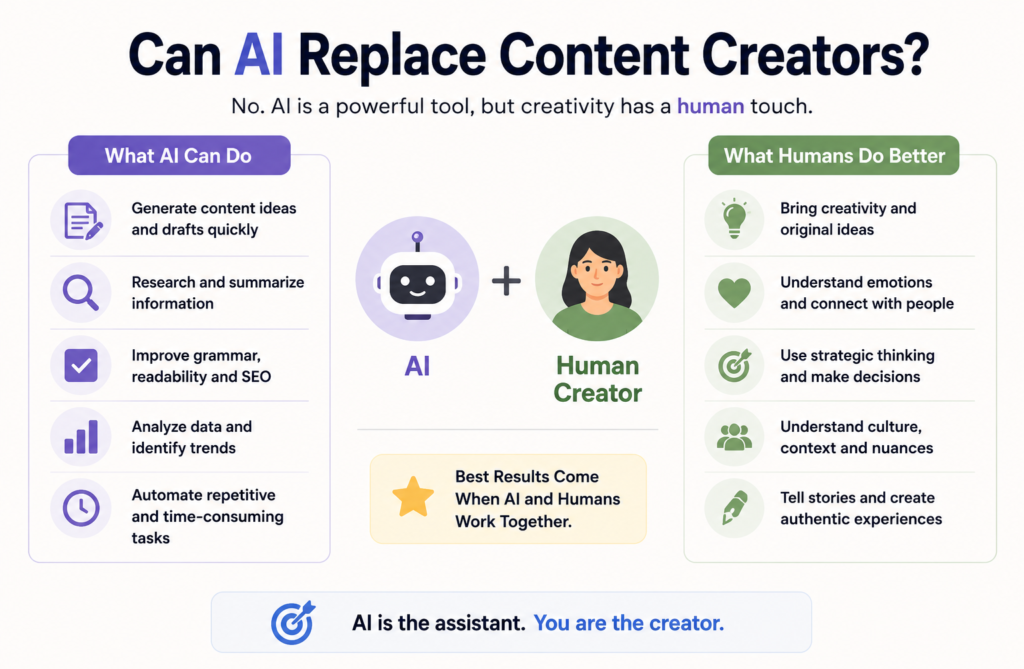
AI is genuinely excellent at research assistance, draft generation, brainstorming, and repurposing — those are real, measurable time savings that aren’t going away. What it can’t do is replicate personal experience, emotional storytelling, original opinion, or the kind of deep audience understanding that only comes from actually being part of a community over time.
Picture two versions of the same blog post — one written entirely by AI, and one that uses AI for structure but is filled with real examples and a genuine point of view. Readers trust the second one almost every time, because they can tell the difference even when they can’t quite explain how. The future isn’t AI versus humans, it’s AI plus humans — and the creators who understand that distinction early are the ones with a real head start.
Frequently Asked Questions
Is AI for content creation free to use? Yes — a complete workflow using ChatGPT, Canva, and Grammarly costs nothing at all. Paid tools like Jasper or Surfer SEO add value later once you’re producing content at scale, but they’re not required to get started.
Will Google penalise AI-generated content? No — Google penalises low-quality, unhelpful content regardless of how it was made. Well-edited, accurate, genuinely useful AI-assisted content ranks just fine. What actually decides this is quality and E-E-A-T, not the tool you used to write it.
Which AI tool should a complete beginner start with? ChatGPT for writing and Canva for design. Both have solid free plans, and together they cover most of what a beginner actually needs on a day-to-day basis.
Can AI write in my brand voice? With the right prompting, reasonably well. Paste in examples of your best existing writing and ask it to match the tone — just expect to still edit afterward, since it’s a strong starting point rather than a perfect copy of you.
How long does AI-assisted content creation actually take? A complete blog post with social assets takes about two hours following the workflow above, compared to six to eight hours doing everything entirely by hand. The editing and personalization steps genuinely can’t be skipped without it showing in the final result.
Is this only useful for big businesses? Actually it’s closer to the opposite — solo creators and small teams tend to benefit the most, since AI lets one person realistically produce what used to require a small team.
Is AI-generated content plagiarism-free? Mostly, yes, but it’s still worth running anything important through a plagiarism checker before it goes live. Editing and personalizing the content also naturally makes it more unique in the process.
How can beginners start using AI for Content Creation? Start small — pick one task, like generating blog topic ideas or writing a first draft outline, and get comfortable with writing clear, specific prompts. Once that feels natural, gradually layer in more — editing with Grammarly, designing with Canva, then repurposing content across platforms. Trying to learn everything at once is usually what causes beginners to give up early.
What is the best free AI tool for content creation? For most beginners, ChatGPT is the strongest starting point since it covers brainstorming, drafting, and outlining in one place with a genuinely capable free plan. Pair it with Canva for visuals and Grammarly for editing, and you have a complete free workflow without needing anything paid.
Final Thoughts
After everything we’ve covered, here’s what really matters: AI is a tool, not a replacement for your creativity.
Yes, AI for Content Creation can help you come up with ideas faster, speed up research, create outlines, and even turn one piece of content into multiple formats. Used well, it can save hours of work every week.
But the content people remember isn’t just well-written. It’s the content that shares real experiences, solves genuine problems, and feels like it was created by someone who understands the audience. That’s where your knowledge, perspective, and creativity make all the difference.
If you’re new to AI for Content Creation, don’t try to use every tool at once. Start with one tool, learn how to write better prompts, and build a workflow that actually works for you. As you gain confidence, you can gradually expand your process.
The creators who will succeed in 2026 won’t be the ones who rely entirely on AI. They’ll be the ones who combine AI’s speed with human creativity, experience, and authenticity.
Use AI to work smarter. Bring your own voice to make the content worth reading.
If you found this guide helpful, explore more on VarshaAI — and don’t forget to subscribe for weekly tips on AI tools and digital marketing
Related Articles
- What is Artificial Intelligence?
- How to Use ChatGPT for Digital Marketing in 2026
- How to Use AI for SEO
- 10 Best AI Tools for Digital Marketing
- What is AI-Powered Digital Marketing?